When there are multiple fires happening at once, it can be extremely confusing to know which fire might impact you or your friends and family. Fortunately, there is an interactive map developed by the BLM Alaska Fire Service that can help you learn more about the fires most important to you.
This map tool isn’t perfect and is not updated in real time, but it can be a great tool to give you basic information about incidents. You are also welcome to call the Fire Information Center at 907-356-5511, either to learn more about this tool or to learn more about fires you’re interested in.
First step: Open your web browser and go to http://fire.ak.blm.gov/
Then you’ll need to navigate to the map:
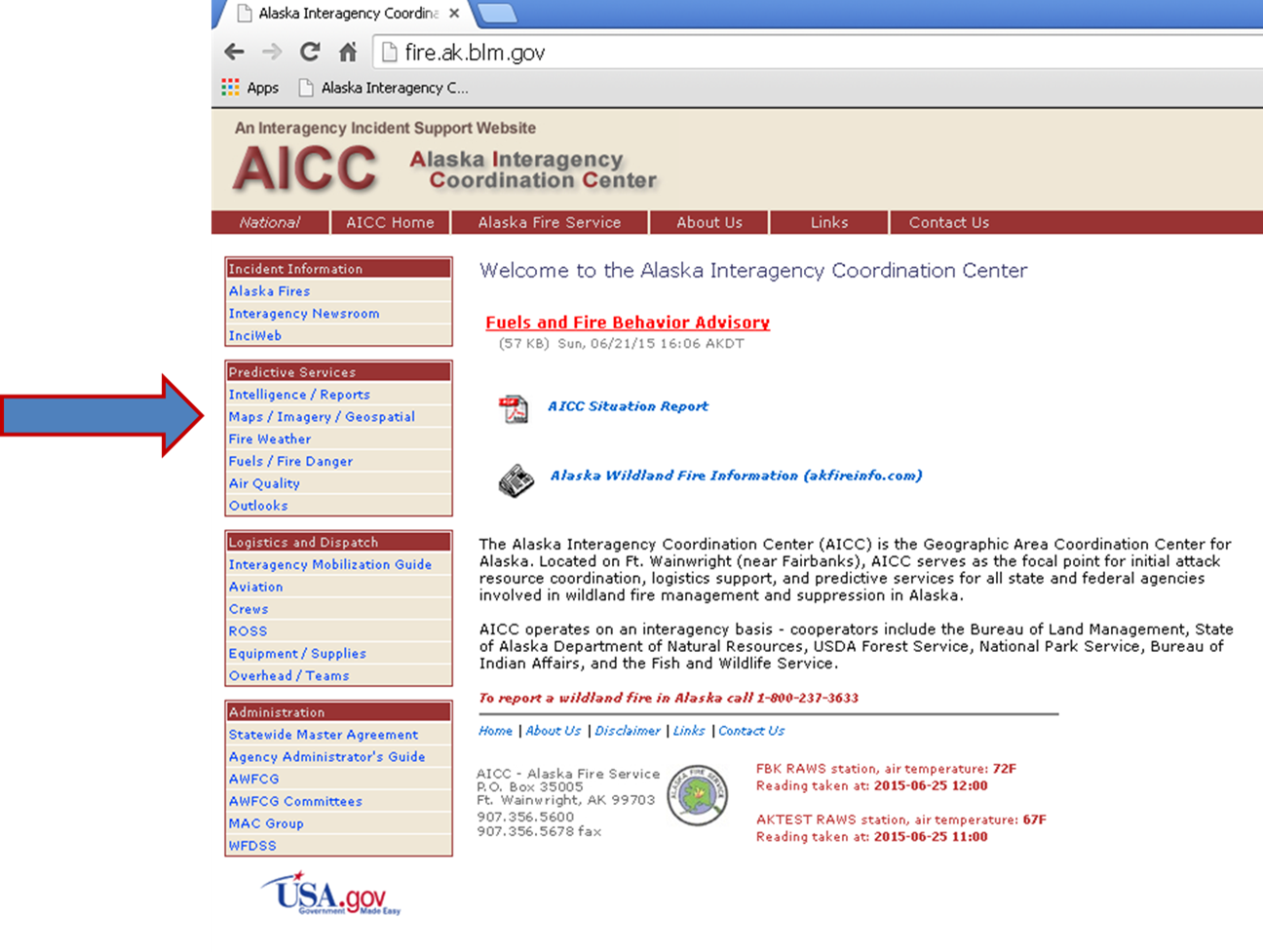
Hover your mouse over the “Maps-Imagery-Geospatial” tab and another menu will appear:
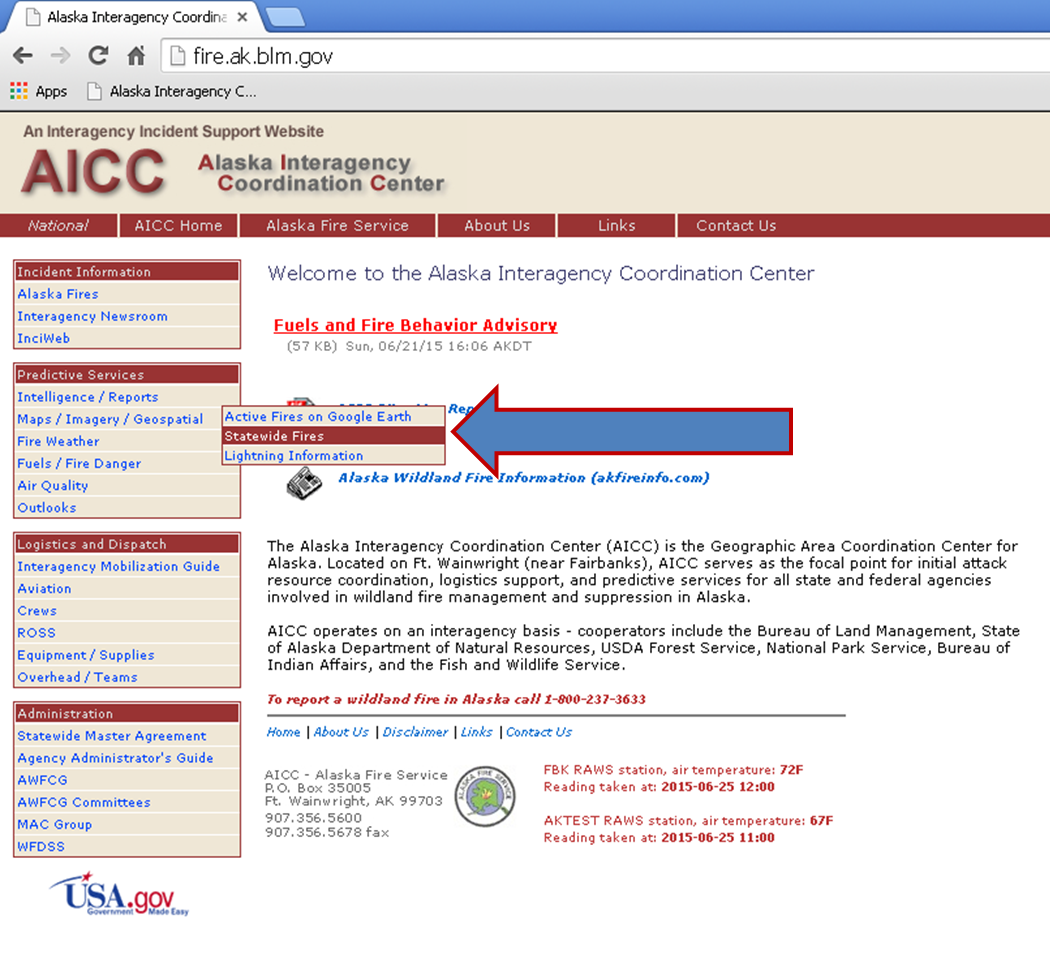
Click on the “Statewide Fires” line and your map will open in a new window.
If you’re interested in one general area of the state, you can click on “Select a location” and have a choice of zones.
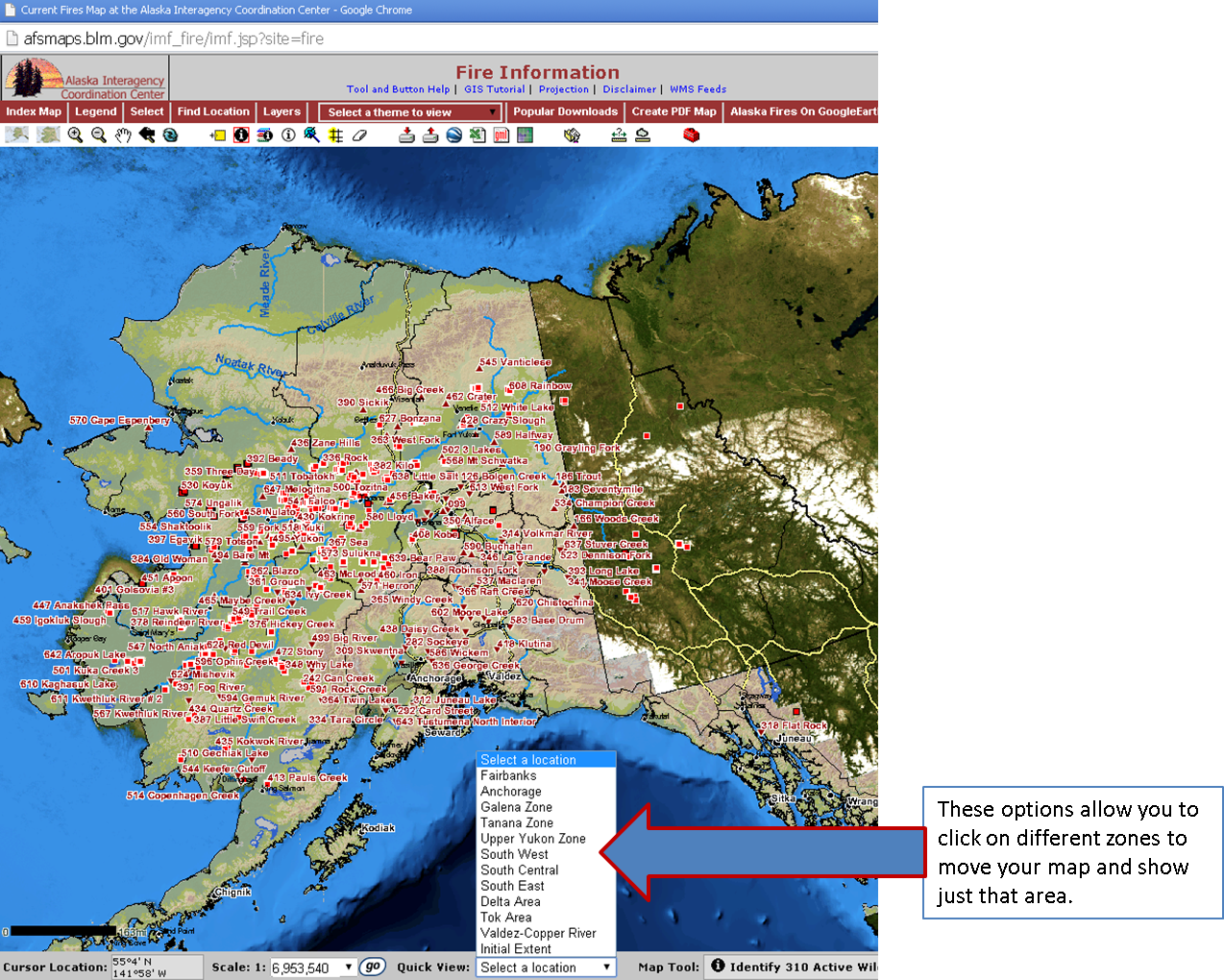
You also have several other tools to manipulate the map. One very useful feature is the “Find Location” option that allows you to search for a specific fire by name or number.

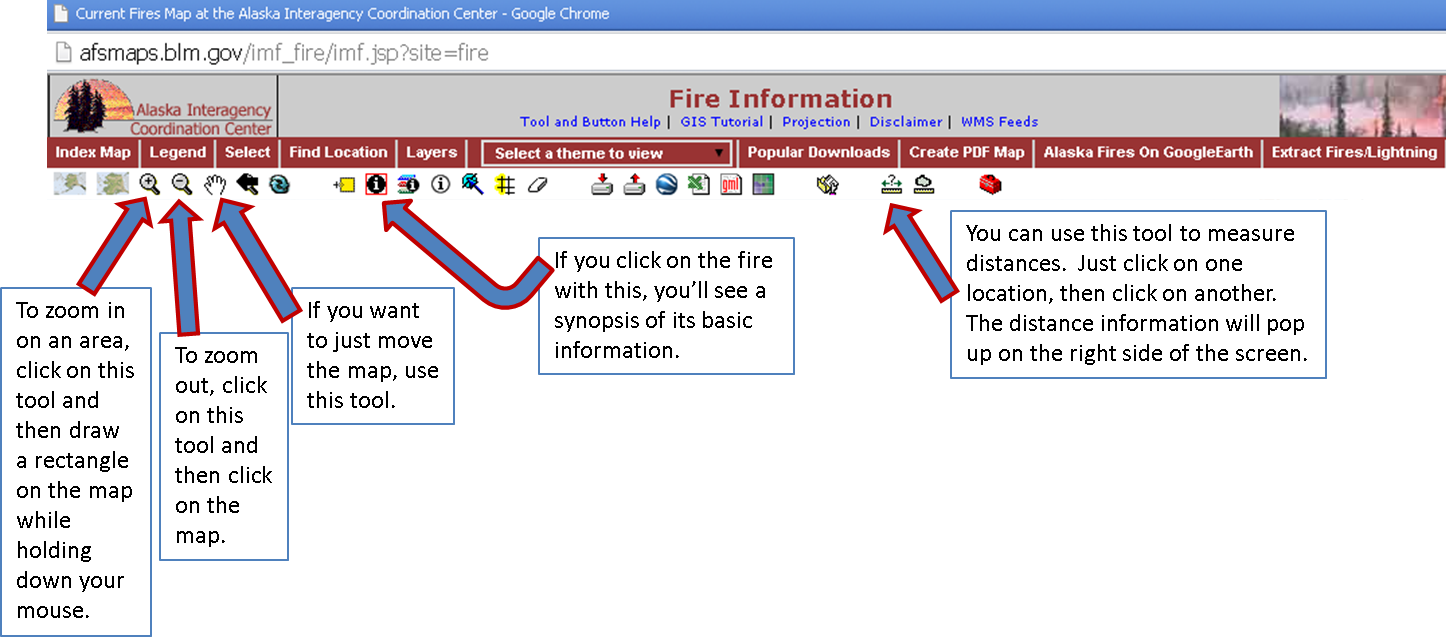
If you hover over a red triangle, basic information about that incident will appear:

Then there are a number of other tools that will help you do things like measure distances, zoom in and out, and move your map:
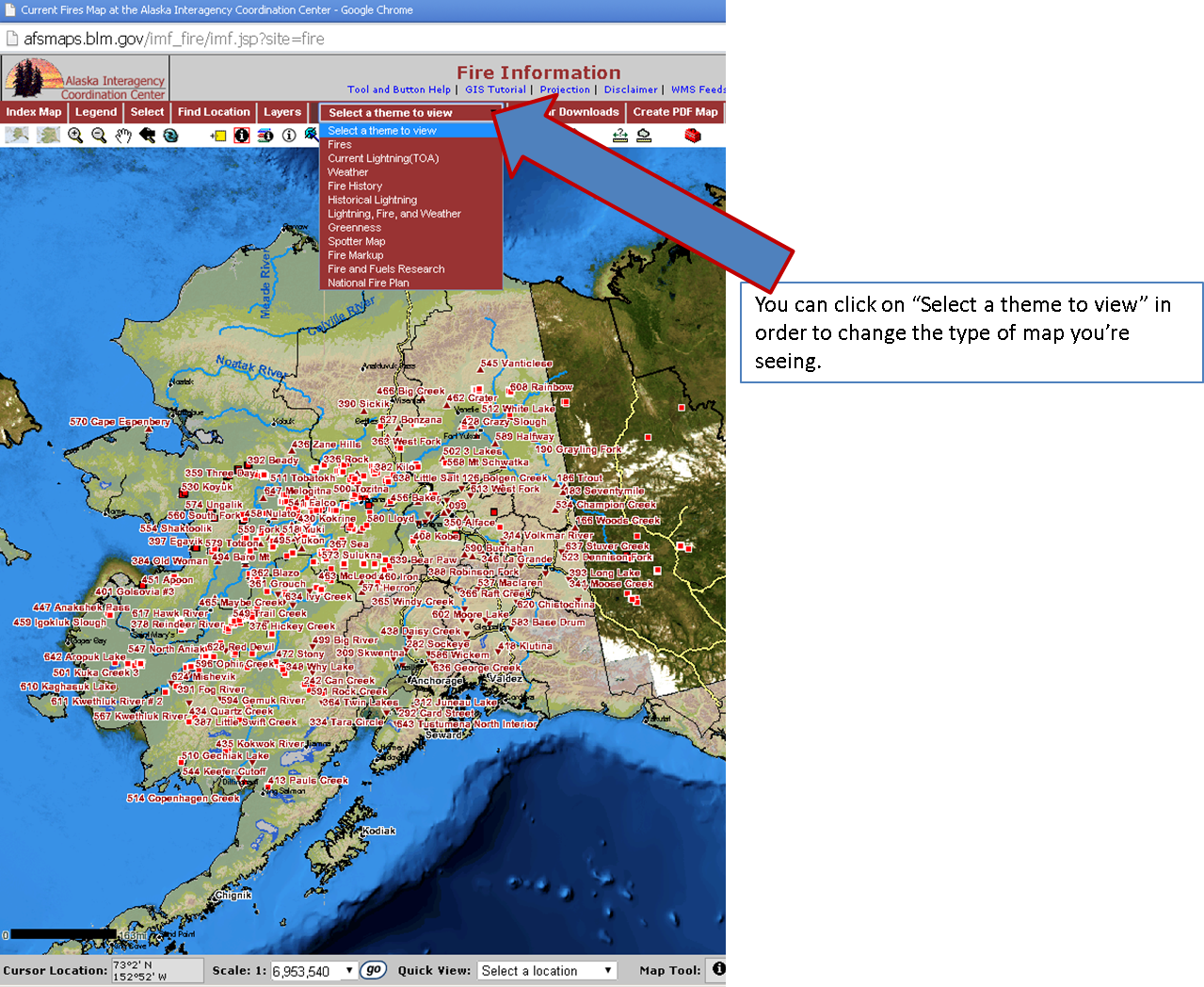
You also have more options of maps to review than just the main fire map. You can view maps of lightning across the state, maps of fire history, maps of weather conditions, and more.
The wildfire situation in the state is constantly changing. This map is not a fool-proof system for getting information. For more detailed information or to learn more about a specific incident, please call the Fire Information Center at 907-356-5511.
Categories: Active Wildland Fire
 Alaska Wildland Fire Information